
Profile — Persona ▸ Credentials
The Profile ▸ Persona ▸ Credentials page is where members track their formal professional credentials. It is the user-facing counterpart to the admin view at Settings ▸ Team ▸ <user> ▸ Credentials, which exposes the same records with admin write access.
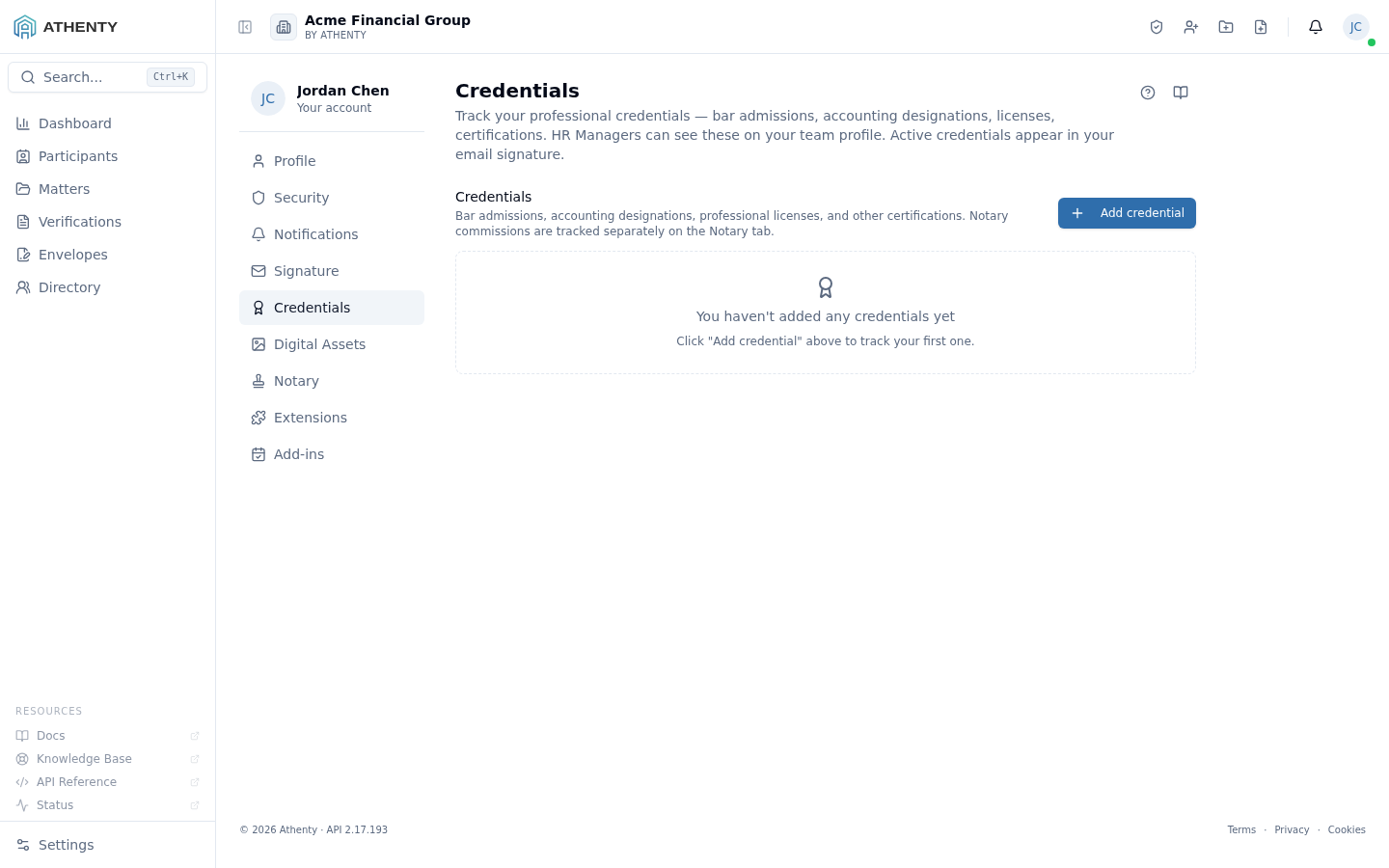
Anatomy of the page
Section titled “Anatomy of the page”1. Page header
Section titled “1. Page header”Standard PageHeader with the title Credentials and a one-line description.
2. Credentials panel
Section titled “2. Credentials panel”Below the header, a shared CredentialsPanel component renders the list. The panel is also used at Settings ▸ Team ▸ <user> in admin-write mode; here it runs in user-write mode.
Each row carries:
- Name + type badge
- Issuing authority and registration number
- Issued and Expires dates
- Active/inactive toggle
- Attached file indicator (paperclip icon if a file is attached)
- Row actions: edit, attach/replace file, delete
3. Empty state
Section titled “3. Empty state”When the user has no credentials, the panel shows an Add credential CTA in a centered empty state.
Fields captured
Section titled “Fields captured”| Field | Required | Notes |
|---|---|---|
| Name | Yes | Short label (e.g., “ON Bar Admission”) |
| Type | Yes | Bar admission · Designation · License · Certification · Other |
| Issuing authority | Yes | Free-form (e.g., “Law Society of Ontario”) |
| Registration number | No | Your member or license number |
| Issued | No | Date credential was granted |
| Expires | No | Date credential lapses; drives reminder notifications |
| Active | Yes (default true) | Controls inclusion in signature + reports |
| File | No | PDF / JPG / PNG, ≤10 MB |
Where credentials surface
Section titled “Where credentials surface”Credentials marked active and not expired flow into:
- Email Signature — when the assigned template includes a credentials placeholder
- Team profile — visible to admins under Settings ▸ Team
- Compliance reports — under Settings ▸ Compliance, broken down by credential type and expiry status
Inactive or expired credentials remain stored but do not surface in any of the above.
File handling
Section titled “File handling”- Upload: drag-and-drop or click-to-browse on the row’s attach button
- Storage: encrypted at rest in object storage; per-credential SAS URLs for download
- Limits: PDF, JPG, PNG; ≤10 MB per file
- Lifecycle: deleted with the credential; replacing the file purges the prior version
The file shown here is the canonical copy. When a credential is attached to a verification (e.g., as proof of a notary appointment), the verification keeps its own snapshot at submission time.
Expiry reminders
Section titled “Expiry reminders”If a credential has an expiry date, the platform sends a reminder notification 60 days before the expiry. Reminders respect the user’s Profile ▸ Security ▸ Notifications preferences for the credential expiring event.
Permissions and scope
Section titled “Permissions and scope”| Role | View own | Edit own | View others | Edit others |
|---|---|---|---|---|
| Owner / Admin | ✓ | ✓ | ✓ (via Settings ▸ Team) | ✓ |
| Member | ✓ | ✓ | ✗ | ✗ |
| Viewer | ✓ | ✗ | ✗ | ✗ |
Credentials are user-scoped — peers never see another member’s records.
Audit trail
Section titled “Audit trail”Every action emits an audit event:
credential.createdcredential.updatedcredential.deletedcredential.file_uploadedcredential.file_deleted
Events surface in the user’s Profile ▸ Security ▸ Activity feed and in the org-wide Settings ▸ Audit Log.
Troubleshooting
Section titled “Troubleshooting”| Symptom | Most likely cause | Fix |
|---|---|---|
| File upload fails | Over 10 MB or wrong MIME | Compress or convert to PDF / JPG / PNG |
| Credential missing from signature | Inactive or expired | Toggle active; check expiry; recopy signature |
| HR can’t see new credential | Cache stale on admin side | Have them refresh the team profile page |
| Deleted credential reappears on refresh | Different tenant in the browser | Confirm tenant in the header |
| No expiry reminder | Notifications disabled for this event | Check Profile ▸ Security ▸ Notifications |
Related pages
Section titled “Related pages”- Profile ▸ General — name, title, contact info merged with signature templates
- Profile ▸ Persona ▸ Signature — where active credentials appear if the template includes them
- Profile ▸ Security ▸ Notifications — toggle expiry reminder
- Settings ▸ Team — admin counterpart with write access
- Settings ▸ Compliance — tenant-wide credential dashboard