
RON Sessions
The RON Sessions page tracks every Remote Online Notarization or Commissioning of Oaths meeting booked through Athenty. RON is the video-based equivalent of in-person notarization — a notary or commissioner witnesses signing live over secure video, then stamps the underlying Envelope as authenticated.
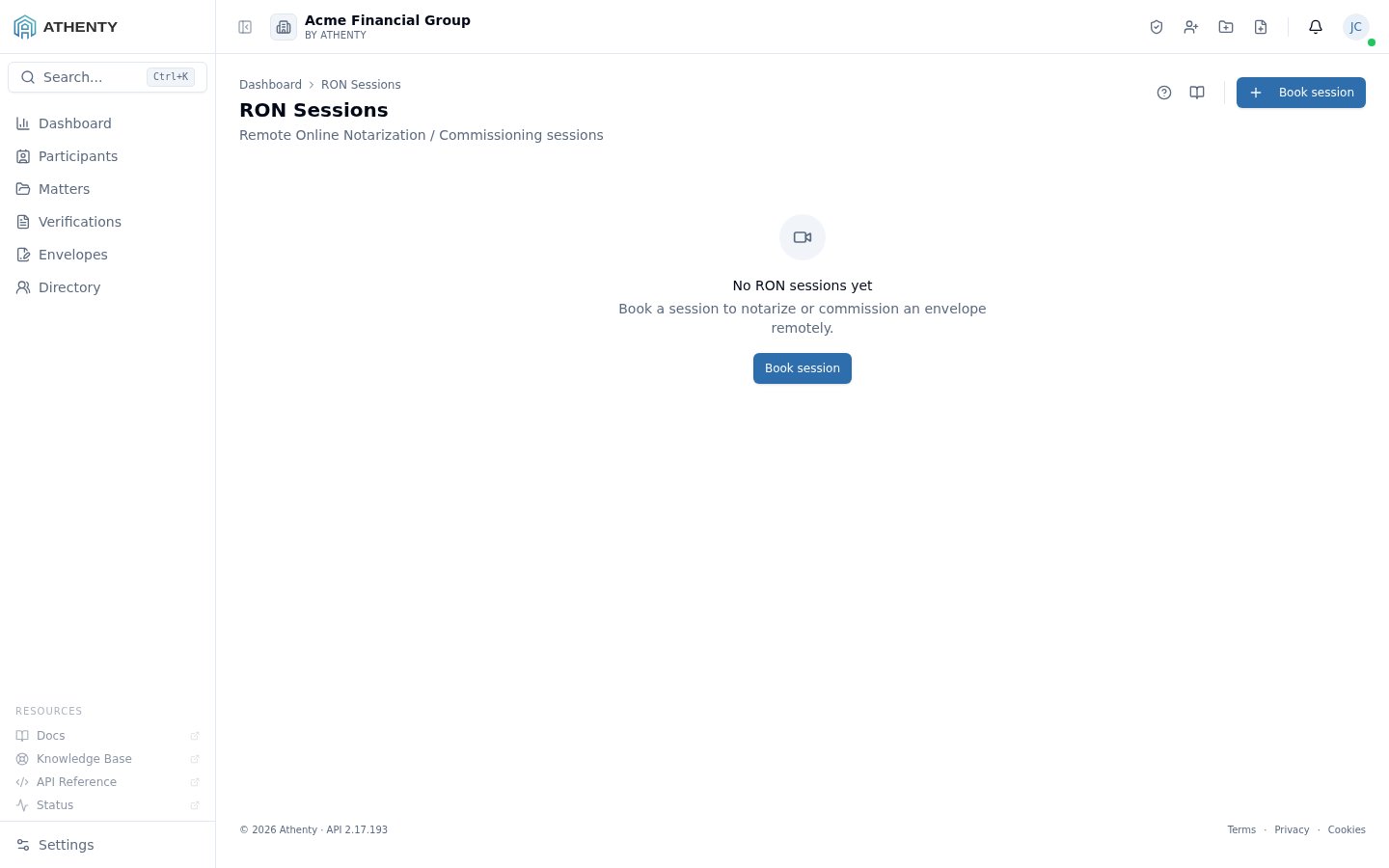
Anatomy of the page
Section titled “Anatomy of the page”1. Header and primary action
Section titled “1. Header and primary action”Standard PageHeader with the title RON Sessions, a one-line description, and the Help (?) and Docs (book) icons. The primary action is Book session, which opens a modal dialog.
2. Session list
Section titled “2. Session list”Each session row carries:
- A status icon + coloured pill
- The associated Envelope subject (or envelope ID if subject is missing)
- A province badge (the regulating jurisdiction)
- A session-type badge — Commissioning or Notarization
- The scheduled timestamp or creation timestamp
- Optional notary notes preview
When the session is in Scheduled status, two row actions appear: Complete and Cancel.
3. Empty state
Section titled “3. Empty state”If no sessions exist yet, the page shows a centered empty state with the RON video icon and a CTA that opens the same booking dialog.
Status lifecycle
Section titled “Status lifecycle”scheduled ──▶ active ──▶ completed │ ↘ no_show └▶ canceled| Status | Pill colour | Meaning |
|---|---|---|
| Scheduled | Blue | Booked, awaiting start |
| Active | Green | Live video session in progress |
| Completed | Green | Notary closed and stamped the envelope |
| Canceled | Red | Voided before completion |
| No Show | Orange | Signer didn’t appear |
The lifecycle is final once a session leaves Scheduled — there are no “reopen” or “restart” actions. Re-bookings happen on the underlying envelope.
Booking a session
Section titled “Booking a session”The Book session dialog requires:
- Envelope ID — UUID of the envelope being notarized. Must already exist; sessions cannot be booked for not-yet-created envelopes.
- Province — drop-down with all 13 Canadian provinces and territories. Drives the legal framework and audit text.
- Session type — Commissioning for oaths and affidavits; Notarization for notarized signatures.
- Scheduled time (optional) — leave blank to start on demand.
On submit:
- The session record is created with status
scheduled. - A join link is dispatched to the signer via the envelope’s existing invite channel.
- The session appears in the list immediately.
Province support
Section titled “Province support”Coverage as of writing:
| Region | Notarization | Commissioning |
|---|---|---|
| ON | ✓ | ✓ |
| BC | ✓ | ✓ |
| AB | ✓ | ✓ |
| NS | — | ✓ |
| QC | — | ✓ |
| MB, SK, NB, NL, PE | — | ✓ |
| NT, NU, YT | Limited | Limited |
Additional jurisdictions are added behind feature flags as their regulators publish RON rules.
Per-row actions (Scheduled only)
Section titled “Per-row actions (Scheduled only)”- Complete — marks the session
completed. Used when the notary finishes the witnessing meeting. Out-of-band completion is supported for cases where the notary’s tooling already stamped the envelope. - Cancel — marks the session
canceled. The signer’s join link is invalidated.
Both actions are guarded — clicking Complete on an already-active session is a no-op for the underlying envelope.
Permissions and scope
Section titled “Permissions and scope”| Role | View | Book | Complete / Cancel |
|---|---|---|---|
| Owner / Admin | All | ✓ | ✓ for any |
| Member (with notary credentials) | Own + booked-into | ✓ | ✓ own |
| Member (without notary credentials) | Own | ✓ | ✓ own |
| Viewer | Visible sessions | ✗ | ✗ |
Notary credentials are configured under Account ▸ Notary. Without credentials a member can still book sessions (e.g., a paralegal booking on behalf of a notary) but cannot perform notary-side actions.
Audit trail
Section titled “Audit trail”Every RON session contributes a stamped record to the underlying envelope’s audit PDF on completion:
- Notary identity (name + jurisdiction)
- Session start/end timestamps
- Province under which the notarization was performed
- Optional free-form notary notes
These appear in the Notary stamps section of the audit PDF and are required by Canadian provincial RON regulations.
Troubleshooting
Section titled “Troubleshooting”| Symptom | Most likely cause | Fix |
|---|---|---|
| Empty list | New tenant or no sessions yet | Click Book session |
| Book button errors | Envelope ID is missing or invalid | Confirm the envelope exists; copy its ID from the envelope detail page |
| Notary cannot complete | Envelope is canceled or expired | Cancel the session; re-issue the envelope first |
| Province not selectable | Hard-coded to Canadian provinces | Cross-border RON requires manual setup — contact support |
| Session shows No Show | Signer didn’t click the join link in time | Cancel + re-book; reach out to the signer to confirm |
Related pages
Section titled “Related pages”- Envelopes — every RON session is bound to an envelope
- Account ▸ Notary — your personal notary credentials
- Settings ▸ Trust Accounting — RON-billed sessions tie into per-matter ledgers