
Settings — Staff Signatures
The Settings ▸ Staff Signatures page authors the personal signatures staff use on their own outgoing emails. Each template is a small chunk of HTML with merge tokens for name, title, contact info, and org branding. Staff see their assigned template at Account ▸ Signature and paste it into Gmail / Outlook / Apple Mail.
This is distinct from the system signatures appended to Athenty-generated notification emails — that surface lives under Settings ▸ Notifications ▸ Signatures.
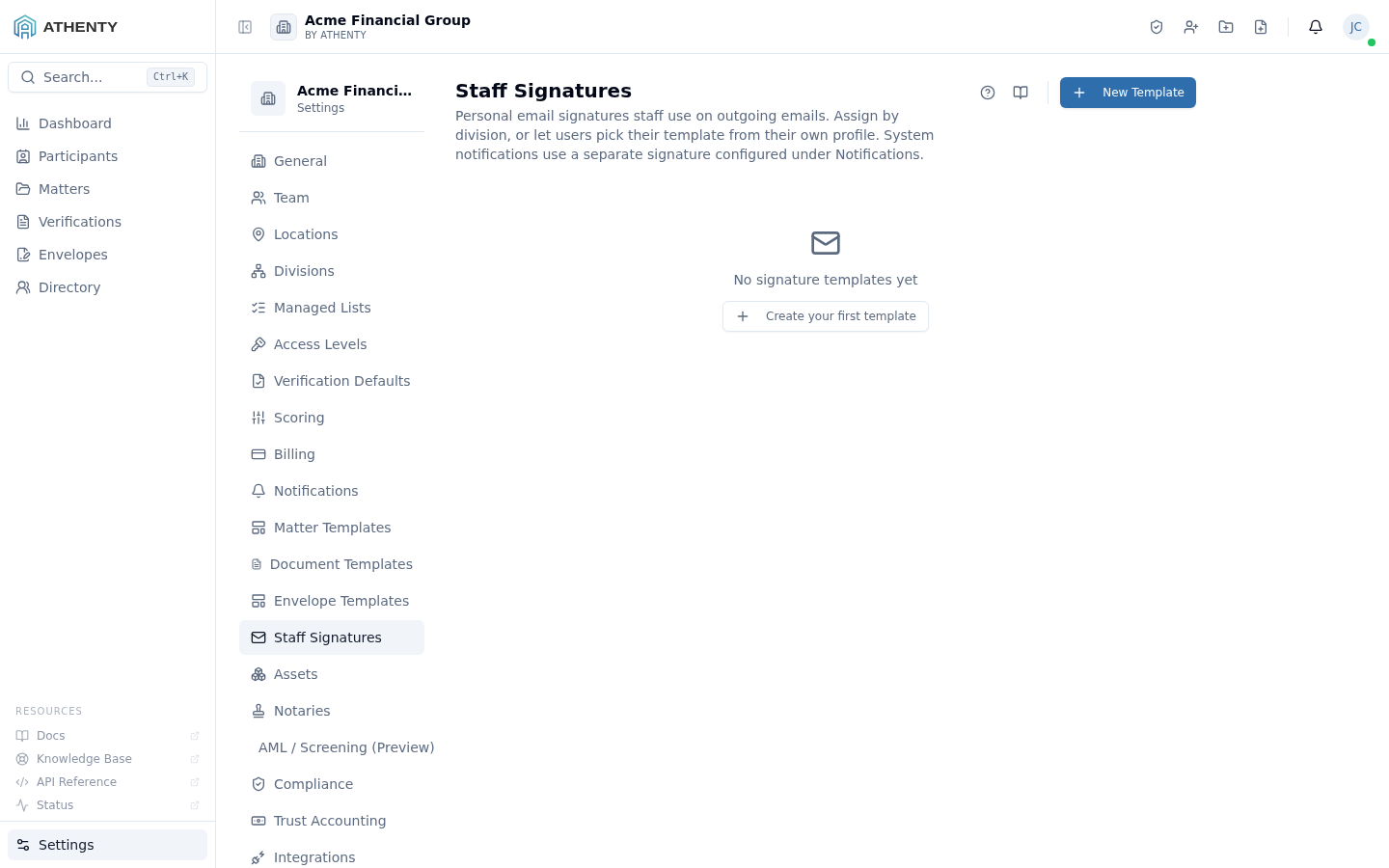
Anatomy of the page
Section titled “Anatomy of the page”1. Page header
Section titled “1. Page header”Standard PageHeader with the title Staff Signatures and a multi-line description that calls out the system-vs-staff distinction. The New Template button sits to the right.
2. Template list
Section titled “2. Template list”Each row carries:
- Template name + description
- ⭐ Default badge (when the org-wide default)
- Division pill (when scoped to a division)
- Assignment count
- Last-edited timestamp
- Row actions: Edit, Set as default, Duplicate, Delete
3. Empty state
Section titled “3. Empty state”Centered Mail icon + “No signature templates yet” copy when the list is empty. CTA opens the create flow.
4. Editor route
Section titled “4. Editor route”The Edit action navigates to /settings/signatures/:id, which is the
full visual + HTML editor for the template body, scope, and merge
tokens. That route is a separate page; this page is the list and
metadata-edit surface.
Merge tokens
Section titled “Merge tokens”Tokens use {{token}} syntax. The supported set is fixed (no custom
tokens) to keep rendering predictable across email clients:
| Token | Resolution |
|---|---|
{{full_name}} | users.name_first + name_last |
{{title}} | employee_profiles.title |
{{email}} | users.email |
{{phone}} | employee_profiles.phone |
{{headshot_url}} | employee_profiles.headshot_url |
{{org_name}} | org.name |
{{org_logo_url}} | org.logo_url |
{{org_address}} | org.address |
{{credentials}} | Active credentials from Account ▸ Credentials |
The platform renders against the user’s record on each fetch from
/signatures/me — so updates flow without republish.
Assignment fallback
Section titled “Assignment fallback”A user’s signature is resolved via this priority:
- Explicit assignment on the user (HR-set under Settings ▸ Team ▸ <user>)
- Division default — the template marked default for the user’s division
- Org default — the single template marked ⭐
- None — user sees the empty state on Account ▸ Signature
Default and scope
Section titled “Default and scope”| Field | Constraint |
|---|---|
| Org default | Exactly one template can hold this. Setting a new default unsets the previous |
| Division scope | A template scoped to division X is only assignable to users in X |
| Org-wide template | No division scope; available to all users |
Permissions and scope
Section titled “Permissions and scope”| Role | View | Create | Edit | Delete | Assign |
|---|---|---|---|---|---|
| Owner / Admin | ✓ | ✓ | ✓ | ✓ | ✓ |
| Member | Uses via Account ▸ Signature | ✗ | ✗ | ✗ | ✗ |
| Viewer | ✗ | ✗ | ✗ | ✗ | ✗ |
Audit logging
Section titled “Audit logging”| Action | Event |
|---|---|
| Create | signature_template.created |
| Update | signature_template.updated |
| Set default | signature_template.default_set |
| Delete | signature_template.deleted |
| Assign to user | signature.assigned |
Events surface in Settings ▸ Audit Log.
Troubleshooting
Section titled “Troubleshooting”| Symptom | Most likely cause | Fix |
|---|---|---|
| Cannot delete | Assigned to staff | Reassign staff first |
| Cannot remove default | Org needs exactly one | Set another template as default first |
| Token shows literal | Typo or unsupported token | Use editor autocomplete |
| Gmail strips formatting | External font stack | Use web-safe fonts only |
| User signature missing | No assignment + no defaults | Set org default |
Related pages
Section titled “Related pages”- Account ▸ Signature — user-side view of their assigned signature
- Account ▸ Credentials — credentials referenced by the
{{credentials}}token - Settings ▸ Notifications — distinct system signatures for platform-generated emails
- Settings ▸ Team — explicit per-user assignment lives there
- Settings ▸ Audit Log —
signature_template.*events