
Settings — Document Templates
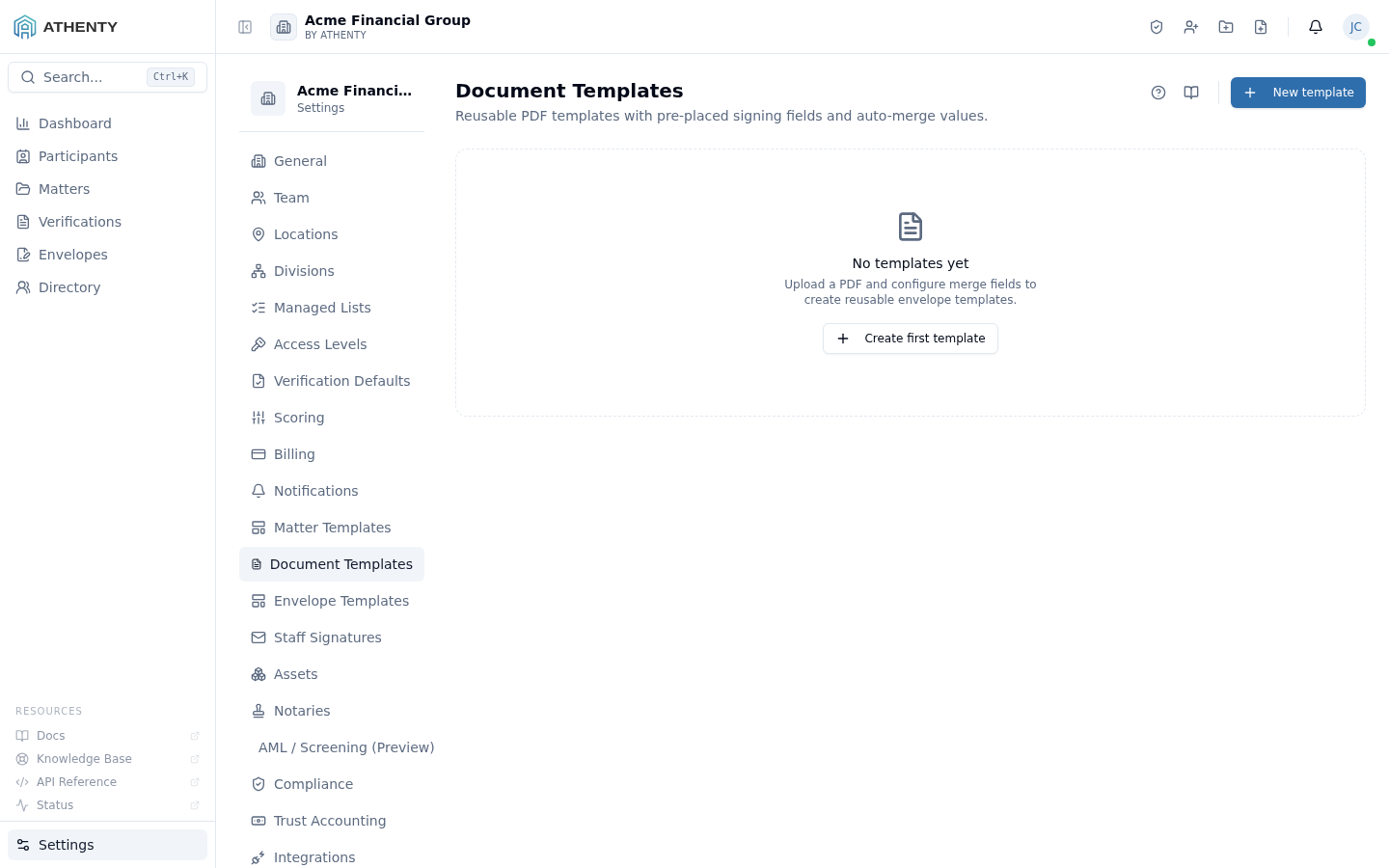
The Settings ▸ Document Templates page is the admin authoring
surface for reusable PDF templates. Each template has a source PDF,
optional {{merge_field}} tokens, and pre-placed signing fields
(signature, initial, date, text) that pin to specific page coordinates.
Document templates are the building block for Envelope Templates and a one-off pick on the New Envelope wizard’s Template step.
Anatomy of the page
Section titled “Anatomy of the page”1. Page header
Section titled “1. Page header”Standard PageHeader with the title Document Templates and a one-line description. The New template button sits to the right.
2. Template list
Section titled “2. Template list”Each row carries:
- Template name (bold) and description
- Field count badges (merge tokens + pre-placed signing fields)
- Last-updated timestamp
- Row actions (Edit, Duplicate, Delete)
Click the row chevron to expand and see per-template field detail.
3. Empty state
Section titled “3. Empty state”A centered FileText icon with a “No templates yet” copy when the list is empty. The CTA opens the create flow.
4. Create / edit slide-out
Section titled “4. Create / edit slide-out”A right-hand slide-out for the create and edit flows. Captures:
- Name and description
- PDF file upload
- Merge tokens (auto-detected from the PDF text layer)
- A visual editor for pre-placing signing fields
Merge tokens
Section titled “Merge tokens”Use double-curly syntax inside the source PDF text:
Re: {{matter_id}} — {{client_name}}
This document confirms ...
Date: {{date}}
Standard tokens resolve automatically:
| Token | Resolved from |
|---|---|
{{client_name}} | The envelope’s primary client |
{{matter_id}} | The matter’s reference |
{{date}} | Send-time date in the org’s timezone |
{{org_name}} | Your tenant’s name |
{{org_address}} | Your HQ address from Settings ▸ Organization |
Any other {{token}} becomes a custom field the user fills in on
the wizard’s review step.
Pre-placed signing fields
Section titled “Pre-placed signing fields”The visual editor lets you drag four field types onto the PDF preview:
| Field | Behaviour at signing |
|---|---|
| Signature | Subject draws or types their signature |
| Initial | Subject types their initials (1–3 chars) |
| Date | Auto-stamped at signing time |
| Text | Free-form input |
Each field captures position (page number + x/y), dimensions, and an assigned signer role. Roles are defined in the parent envelope template — common roles are Client, Counsel, Witness.
A document template with pre-placed fields means the envelope wizard loads the document with fields already in place. Users can override positions per-envelope but rarely need to.
Implementation note
Section titled “Implementation note”The PDF is stored encrypted at rest. Field anchors are stored as percentage coordinates relative to the PDF’s intrinsic page dimensions, so the same template renders correctly across screens of different sizes.
Permissions and scope
Section titled “Permissions and scope”| Role | View | Create | Edit | Delete |
|---|---|---|---|---|
| Owner / Admin | ✓ | ✓ | ✓ | ✓ |
| Member | Indirect (uses templates in the wizard) | ✗ | ✗ | ✗ |
| Viewer | ✗ | ✗ | ✗ | ✗ |
Audit logging
Section titled “Audit logging”| Action | Event |
|---|---|
| Create | document_template.created |
| Update | document_template.updated |
| Duplicate | document_template.duplicated |
| Delete | document_template.deleted |
Events surface in Settings ▸ Audit Log.
Troubleshooting
Section titled “Troubleshooting”| Symptom | Most likely cause | Fix |
|---|---|---|
| Merge tokens not detected | PDF has no text layer (scanned image) | OCR the PDF before upload |
| Pre-placed field misaligned | Source PDF page dimensions changed | Re-upload with original dimensions |
| Cannot delete | Template attached to a live envelope template | Unassign from envelope template first |
| Field assignment lost | Signer role renamed in envelope template | Re-assign field |
| Save fails | Required name missing | Fill the name field |
Related pages
Section titled “Related pages”- Settings ▸ Envelope Templates — packages document templates with recipients + defaults
- Envelopes ▸ New — picks document templates inline
- Settings ▸ Audit Log —
document_template.*events