
Settings — Assets
The Settings ▸ Assets page is the org-wide inventory of everything your organization owns and assigns. The page composes three tabs: Hardware (full CRUD + assignment), Software (placeholder for the seat-license tracker that ships in a follow-up), and Digital Assets (the same library exposed read-only to members at Account ▸ Digital Assets, here in admin-write mode).
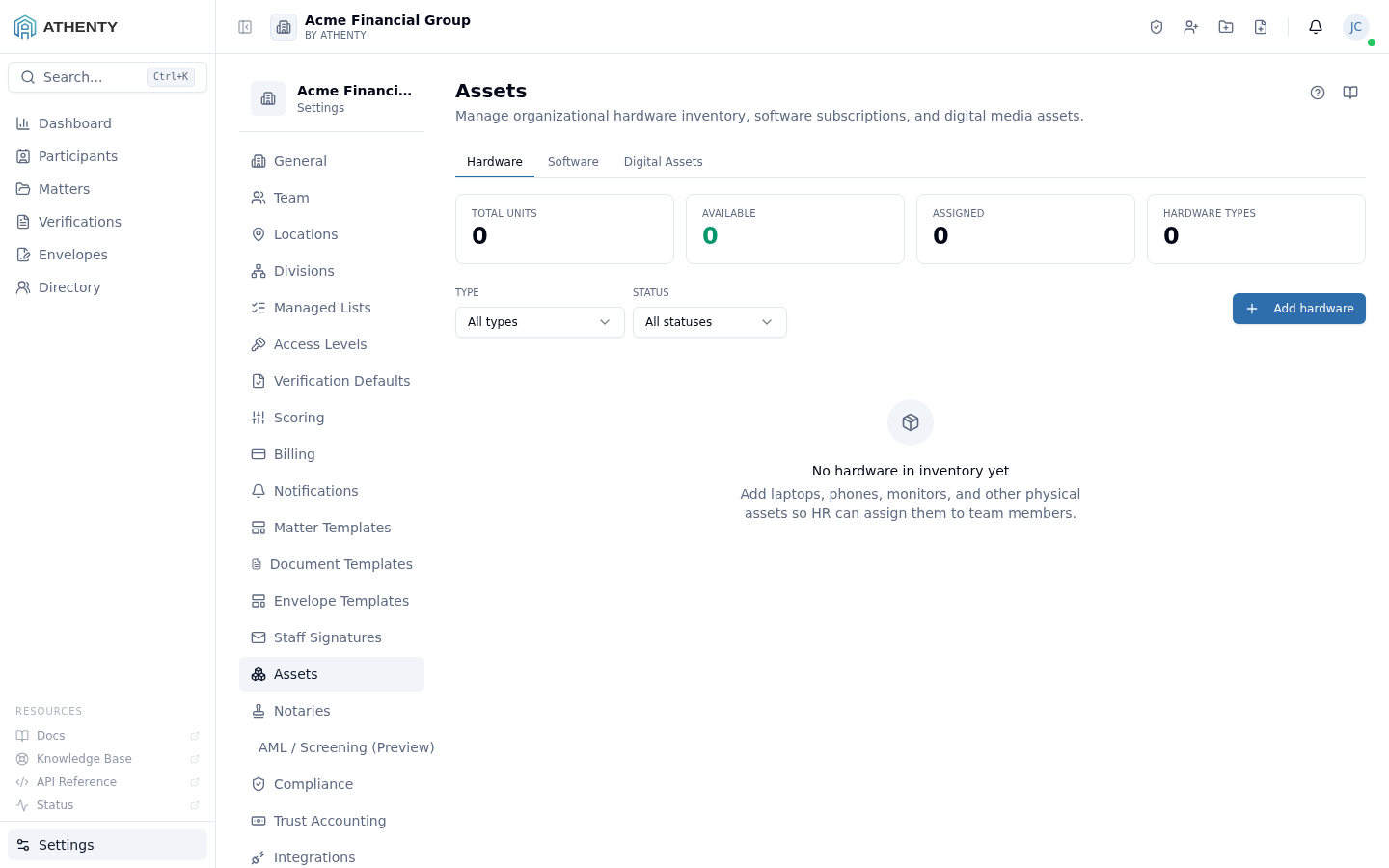
Anatomy of the page
Section titled “Anatomy of the page”1. Page header
Section titled “1. Page header”Standard PageHeader with the title Assets and a one-line description.
2. Tab strip
Section titled “2. Tab strip”Three tabs:
| Tab | Component | Status |
|---|---|---|
| Hardware | HardwareInventory | Live |
| Software | EmptyState placeholder | Coming soon |
| Digital Assets | DigitalAssets (admin-write mode) | Live |
The active tab is URL-reflected as ?tab=hardware, ?tab=software,
or ?tab=digital. Deep-links work; the legacy
/settings/digital-assets route redirects to ?tab=digital.
Hardware tab
Section titled “Hardware tab”The HardwareInventory component renders:
- A header with + Add hardware action
- A filterable table with columns: name, type, serial, status, assigned to, purchase date, warranty expiry, price (Owner only), notes
- Per-row actions: edit, reassign, retire
Hardware records flow into Account ▸ Profile ▸ Assets for the assigned user, where they appear read-only.
Software tab
Section titled “Software tab”Placeholder until the seat-license tracker lands. Current copy:
Software subscriptions — coming soon. Centralized license/seat tracking for software subscriptions, with per-team-member assignment from the available pool, lands in a follow-up release.
Digital Assets tab
Section titled “Digital Assets tab”The DigitalAssets component runs in admin-write mode here:
- Upload via drag-and-drop or file picker
- Per-asset metadata: display name, label, category
- Replace + version history
- Get CDN URL (the same one members copy from Account ▸ Digital Assets)
- Delete (purges the file from object storage)
URL behaviour
Section titled “URL behaviour”The legacy /settings/digital-assets redirects to
/settings/assets?tab=digital. Any external link or bookmark on the
old URL lands here automatically. The redirect is handled by a
React Router <Navigate> element in routes/index.tsx.
Permissions and scope
Section titled “Permissions and scope”| Role | View | Manage |
|---|---|---|
| Owner / Admin | ✓ | ✓ |
| Member | Indirect (sees own hardware + digital library) | ✗ |
| Viewer | Indirect | ✗ |
The whole /settings/* tree is admin-only via RoleGuard.
Audit logging
Section titled “Audit logging”| Action | Event |
|---|---|
| Add hardware | hardware.created |
| Update hardware | hardware.updated |
| Reassign | hardware.reassigned (with old + new user IDs) |
| Retire | hardware.retired |
| Upload digital asset | digital_asset.created |
| Update / replace | digital_asset.updated |
| Delete | digital_asset.deleted |
Events surface in Settings ▸ Audit Log.
Troubleshooting
Section titled “Troubleshooting”| Symptom | Most likely cause | Fix |
|---|---|---|
| Cannot reassign hardware | Status is In repair | Update status to Active first |
| Software tab placeholder | Feature not yet shipped | Wait for release |
| Digital asset preview broken | Wrong MIME on upload | Re-upload with correct extension |
| Member can’t see assignment | Hardware not actually assigned | Confirm assignment in Hardware tab |
Deep-link to ?tab=digital opens Hardware | Tab param invalid or stripped | Verify URL preserved the query string |
Related pages
Section titled “Related pages”- Account ▸ Profile ▸ Assets — user view of own hardware
- Account ▸ Digital Assets — read-only library for all staff
- Settings ▸ Locations — physical locations hardware is assigned to
- Settings ▸ Audit Log —
hardware.*anddigital_asset.*events