
Settings — Envelope Templates
The Settings ▸ Envelope Templates page is the admin authoring surface for reusable envelope packets. Each template bundles Document Templates, signer roles, signing mode, expiry, and reminder cadence into a single named record that members can pick in the New Envelope wizard.
This is the highest-leverage automation surface in the platform — a single template authored well saves dozens of clicks per envelope and enforces consistency across the team.
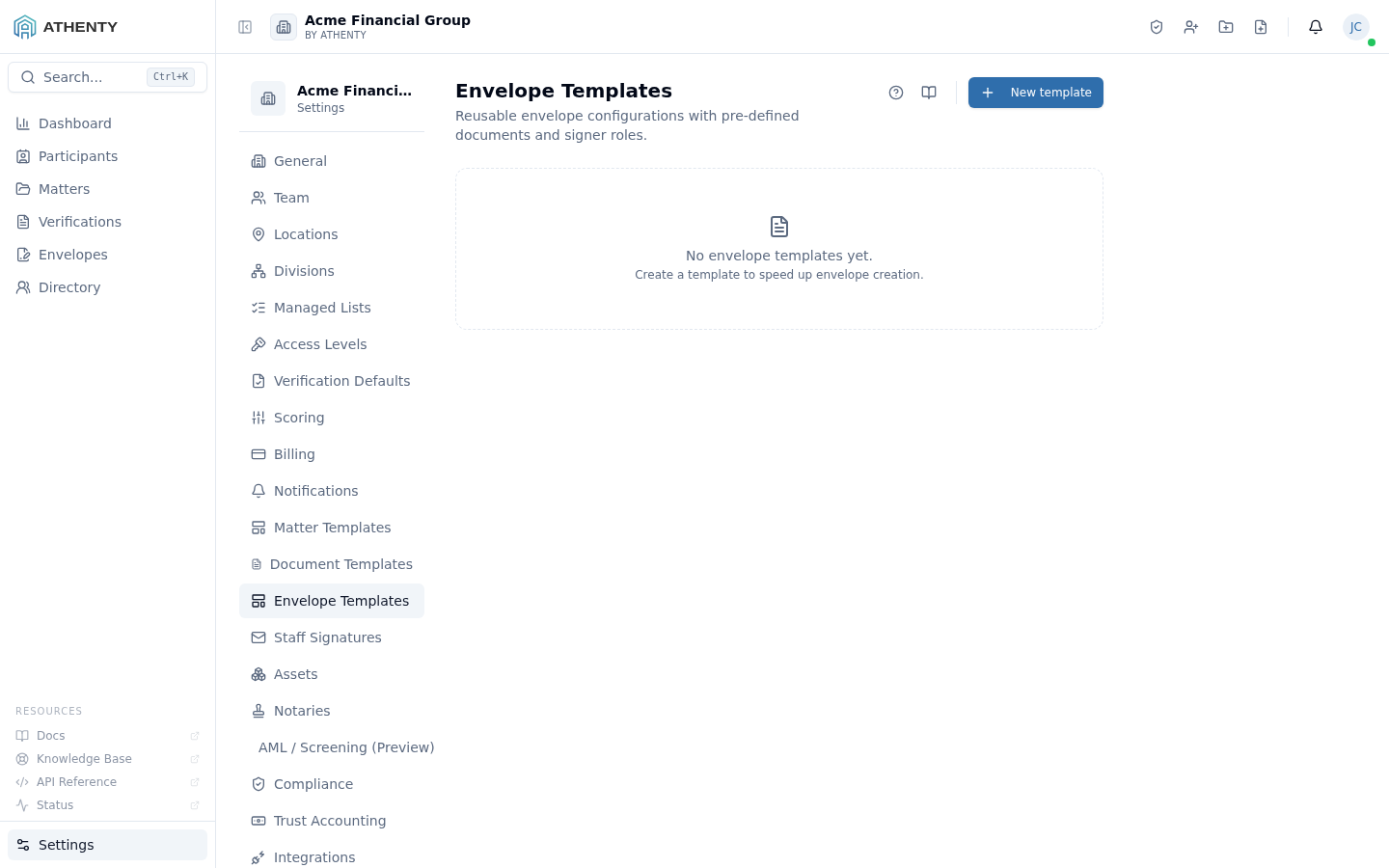
Anatomy of the page
Section titled “Anatomy of the page”1. Page header
Section titled “1. Page header”Standard PageHeader with the title Envelope Templates and a one-line description. The New template button sits to the right.
2. Template list
Section titled “2. Template list”Each row shows:
- Name + description
- Document count badge
- Signer-role count badge
- Signing mode pill (Parallel / Sequential)
- Default expiry (days)
- Row actions (Edit, Duplicate, Delete)
3. Empty state
Section titled “3. Empty state”Centered icon + copy when no templates exist. CTA opens the create flow.
4. Create / edit slide-out
Section titled “4. Create / edit slide-out”Right-hand slide-out captures the full template definition. Fields group naturally into:
- Identity — name, description
- Defaults — subject, message, signing mode, expiry, reminder cadence
- Documents — multi-select of document templates
- Roles — name + order for each signer role
Roles vs. recipients
Section titled “Roles vs. recipients”Templates define roles as placeholders. The wizard fills in actual recipients for each role at envelope-create time. This is the abstraction that makes templates reusable across many envelopes:
Template "Engagement Letter":  Roles: [Client, Senior Partner, Witness]  Documents: [engagement-letter-v3.pdf]  Mode: Sequential  Expiry: 30 days
Envelope from template:  Roles: [Client, Senior Partner, Witness]  ← from template  Recipients: [    Client → alice@example.com,             ← user-filled per envelope    Senior Partner → bob@firm.com,    Witness → carol@firm.com,  ]
Signing modes
Section titled “Signing modes”| Mode | Behaviour |
|---|---|
| Parallel | All recipients receive the invite at once and can sign in any order |
| Sequential | Recipient N receives the invite only after recipient N-1 signs |
Sequential mode requires a role order. Drag roles in the editor to set the order. Sequential is useful when one signer needs to review or prepare content for another.
Expiry and reminders
Section titled “Expiry and reminders”- Expiry — number of days the envelope stays valid (default 60). Past the window, the envelope auto-voids.
- Reminder cadence — automated reminder emails to unsigned recipients. Default None; common values Every 3 days or Weekly.
Both are starting hands — per-envelope users can override either in the wizard.
Bulk Send compatibility
Section titled “Bulk Send compatibility”Envelope templates with at least one document are eligible for
Settings ▸ Bulk Send (covered on /settings/envelope-templates’s
sibling docs). Templates with zero documents work in single-envelope
mode — the wizard captures documents per envelope.
Permissions and scope
Section titled “Permissions and scope”| Role | View | Create | Edit | Delete |
|---|---|---|---|---|
| Owner / Admin | ✓ | ✓ | ✓ | ✓ |
| Member | Indirect (uses in wizard + Bulk Send) | ✗ | ✗ | ✗ |
| Viewer | ✗ | ✗ | ✗ | ✗ |
Audit logging
Section titled “Audit logging”| Action | Event |
|---|---|
| Create | envelope_template.created |
| Update | envelope_template.updated |
| Duplicate | envelope_template.duplicated |
| Delete | envelope_template.deleted |
Events surface in Settings ▸ Audit Log.
Troubleshooting
Section titled “Troubleshooting”| Symptom | Most likely cause | Fix |
|---|---|---|
| Document picker is empty | No document templates yet | Create one under Settings ▸ Document Templates |
| Bulk Send creates drafts | Template has zero documents | Attach at least one document template |
| Sequential order ignored | Mode set to Parallel | Switch mode |
| Cannot delete | Template in active use | Cancel referencing drafts; or Duplicate + Edit |
| Reminder not firing | User overrode in wizard | Defaults are starting hands |
Related pages
Section titled “Related pages”- Settings ▸ Document Templates — single-document templates that envelope templates compose
- Envelopes ▸ New — wizard that consumes envelope templates
- Envelopes ▸ Bulk — bulk-send wizard that consumes envelope templates