
Settings — Divisions
The Settings ▸ Divisions page is the canonical list of divisions in your tenant — practice areas, business units, or whatever grouping you use to organize your team. The records here power the Division filter on Directory, the per-user Division field on team profiles, division-scoped signature templates, and filtering throughout the platform.
This concept was renamed from Department in #170. All seeded divisions ship with the new naming and existing “department” entries on user records auto-map without migration.
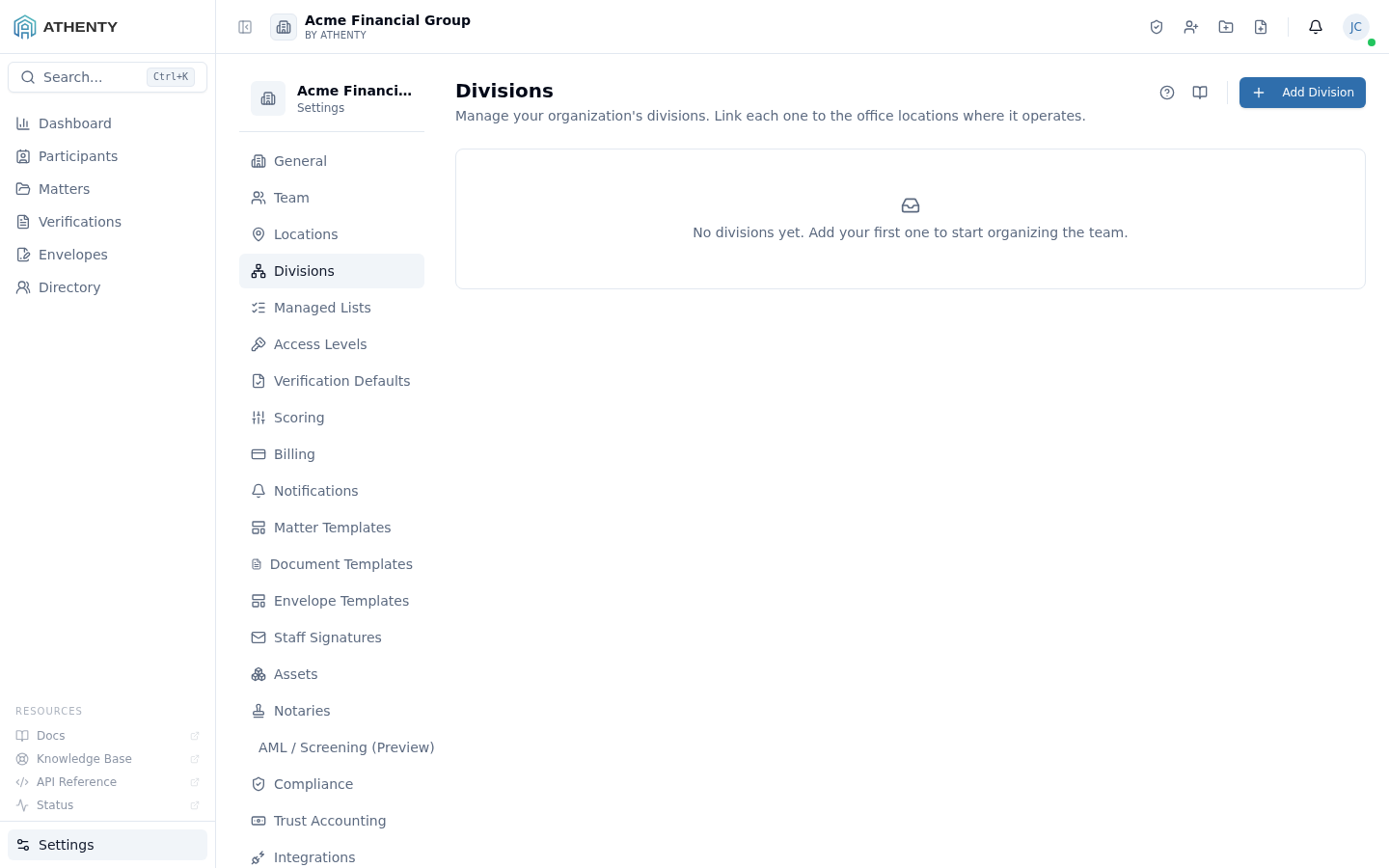
Anatomy of the page
Section titled “Anatomy of the page”1. Page header
Section titled “1. Page header”PageHeader with the title Divisions, a one-line description, and the Add Division action button on the right.
2. Divisions list
Section titled “2. Divisions list”Each row carries:
- Name + description
- Linked-locations pill group
- Member count
- Status pill (Active / Archived)
- Row actions: Edit, Archive, Delete
3. Add / edit dialog
Section titled “3. Add / edit dialog”Modal dialog (not a slide-out — divisions are simpler than templates):
- Name (required)
- Description
- Locations multi-select against Settings ▸ Locations
Many-to-many division ↔ location
Section titled “Many-to-many division ↔ location”The link between divisions and locations is many-to-many — a division can operate in any number of offices, and an office can host any number of divisions:
Division "Real Estate" → [Toronto HQ, Vancouver Office]Division "Litigation" → [Toronto HQ]Division "Corporate" → [Toronto HQ, Vancouver Office, Calgary]The link is informational. It doesn’t restrict member assignment — a Real Estate member can still have their default work location set to a Calgary office.
Where divisions are referenced
Section titled “Where divisions are referenced”| Surface | Use |
|---|---|
| Team profile | Each user has one division |
| Directory filter | Single-select dropdown sourced from this list |
| Signature templates | Optional division-scope on each template |
| Org chart | Grouping when “View by division” is selected |
| Reporting | Cohort breakdowns in Compliance + Verifications |
Archive vs. delete
Section titled “Archive vs. delete”| Action | Effect | Audit event |
|---|---|---|
| Archive | Soft-delete; preserved on existing user records | division.archived |
| Delete | Hard-delete; only when no members | division.deleted |
Trying to delete a division with members returns 409 with a
has_dependent_users error. The platform surfaces a toast suggesting
archive instead.
Permissions and scope
Section titled “Permissions and scope”| Role | View | Manage |
|---|---|---|
| Owner / Admin | ✓ | ✓ |
| Member | Indirect (assigned division on profile) | ✗ |
| Viewer | Indirect | ✗ |
Audit logging
Section titled “Audit logging”| Action | Event |
|---|---|
| Create | division.created |
| Update | division.updated |
| Link/unlink location | division.location_linked / division.location_unlinked |
| Archive | division.archived |
| Delete | division.deleted |
Events surface in Settings ▸ Audit Log.
Troubleshooting
Section titled “Troubleshooting”| Symptom | Most likely cause | Fix |
|---|---|---|
| Cannot delete | Has members | Archive, or reassign members first |
| Linked-locations multi-select empty | No locations yet | Add under Settings ▸ Locations |
| Member count stale | Cache | Refresh page |
| Signature template not applying | User division not set | Set under Settings ▸ Team ▸ <user> |
| Old naming reference | Pre-#170 user record | Auto-maps; no action |
Related pages
Section titled “Related pages”- Settings ▸ Locations — feeds the linked-locations multi-select
- Settings ▸ Team — per-user division assignment
- Settings ▸ Staff Signatures — division-scoped templates
- Directory — Division filter and grouping
- Settings ▸ Audit Log —
division.*events